

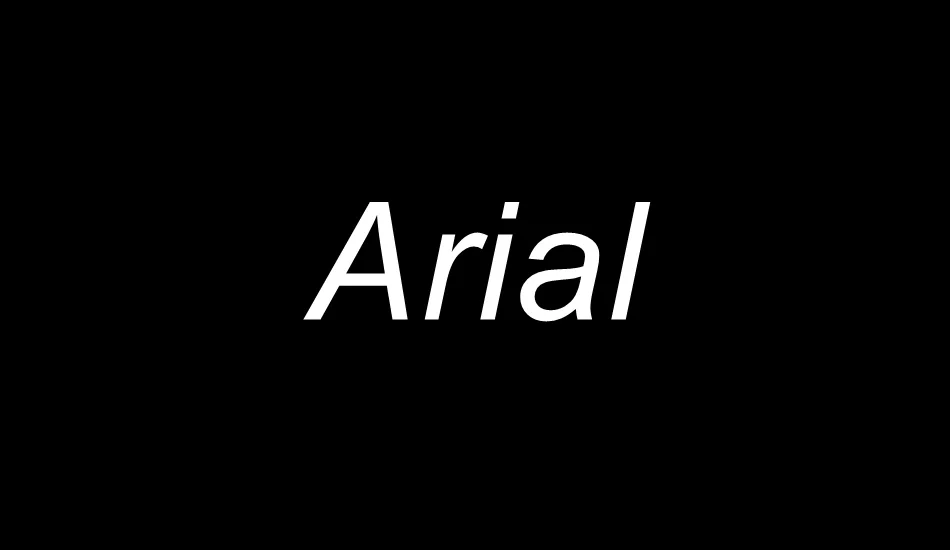
Arial is one of the most popular fonts in the world. It is clean, modern, and easy to read. Whether you are designing a document, creating a website, or editing a graphic, Arial often becomes the go-to choice. In this guide, we will walk you through everything you need to know about Arial font download.
What Is Arial Font?
Arial is a sans-serif typeface. It was created in 1982 by Robin Nicholas and Patricia Saunders. Microsoft made it widely popular by including it in many of its software products. Over time, it became a standard font for both digital and print use.
Arial looks simple, yet it is powerful. It has smooth curves and balanced letter spacing. That makes it great for both headings and body text.
Why Choose Arial Font?
There are many reasons to download and use Arial font. Here are the most important ones:
- Clear and readable – It’s perfect for both print and digital screens.
- Versatile design – Works well in documents, websites, presentations, and more.
- Professional look – Often used in resumes, emails, and business documents.
- Wide compatibility – It works across most devices and operating systems.
Is Arial Font Free?
Yes and no. Arial is pre-installed on most Windows and Mac systems. So if you are using one of those, you likely already have it.
However, if you’re using Linux or a web design tool, you may need to download it separately. In that case, you must check for proper licensing. For personal use, it’s often free. For commercial use, you may need to get it from a licensed source.
Where to Download Arial Font Safely?
You should always download fonts from safe and official websites. This avoids malware and copyright issues. Here are a few trusted places to get Arial font download:
1. Microsoft Website
Microsoft includes Arial in its Office and Windows products. If you have Windows, you already have Arial. If not, you can install Microsoft’s font pack.
2. Google Fonts (Alternatives)
Arial is not available on Google Fonts. But you can find similar fonts like:
- Roboto
- Open Sans
- Noto Sans
These fonts look close to Arial and are open-source. They are free for both personal and commercial use.
3. Font Squirrel
Font Squirrel offers free and licensed fonts. You can search for Arial or its alternatives here. Always read the license before use.
4. Adobe Fonts
If you use Adobe Creative Cloud, you can find similar fonts to Arial in their library.
How to Install Arial Font on Your Device
Once you download the font, the next step is to install it. Follow these simple steps based on your operating system:
Windows:
- Download the .ttf or .otf font file.
- Right-click on the file.
- Select “Install” or “Install for all users.”
- That’s it! Arial will appear in your font list.
macOS:
- Double-click the font file.
- A preview window will open.
- Click “Install Font” at the bottom.
- The Font Book app will handle the rest.
Linux:
- Download the .ttf file.
- Copy it to the ~/.fonts folder (you may need to create this).
- Run the command fc-cache -f -v to update the font cache.
Best Uses for Arial Font
Arial is not just any font. Its design makes it suitable for many uses:
- Business documents – Clean and professional appearance.
- Web design – Fast loading and readable on all screens.
- Presentations – Keeps slides neat and readable.
- Resumes and cover letters – Gives a formal yet modern look.
- Reports and academic writing – Acceptable for most institutions.
Arial Font Alternatives
Sometimes, you may want something different but similar. Here are a few fonts like Arial:
- Helvetica – Sleek and widely used in design.
- Verdana – More spacing, great for screens.
- Tahoma – Compact and neat.
- Trebuchet MS – Stylish and readable.
- Calibri – Modern and default in many newer apps.
These fonts can often replace Arial when needed. You can download them from similar trusted sources.
Tips for Using Arial Font Effectively
Want to make the most out of your Arial font download? Use these tips:
- Keep font size between 10-14 pt for documents.
- Use bold for headings and regular for body text.
- Avoid overusing italics – it can reduce readability.
- Pair it with a serif font for a professional touch (like Times New Roman).
- Use white space around text blocks to enhance readability.
Arial Font in Web Design
Arial is a “web-safe” font. That means it shows up the same on most browsers and devices. When you use Arial in CSS, you can write it like this:
This tells browsers to use Arial first, then Helvetica if Arial isn’t available, and finally any sans-serif font as a backup.
Common Questions
Is Arial font copyright-free?
Arial is a proprietary font. That means it’s not open-source. But you can use it on your system if it’s already installed. For commercial redistribution, you need a license.
Can I use Arial on my website?
Yes, if it’s installed on your user’s device. If not, the browser uses a fallback font. For better control, consider using web-safe or open-source alternatives.
Is Arial good for resumes?
Yes. Arial is clean, professional, and widely accepted in resumes and cover letters.
Conclusion
Arial is a classic, reliable font that works well in nearly every situation. It’s easy to read, looks clean, and blends well with many design styles. Whether you’re writing a report, designing a website, or building a brand, downloading and using Arial font is a smart move.
Before you download Arial font, always check the source and its license. Stick with trusted platforms like Microsoft or Font Squirrel. And don’t forget—there are great alternatives too if Arial isn’t available.
Make your projects stand out with clear and professional typography. Start with an Arial font download today and see the difference it makes!